Text editor
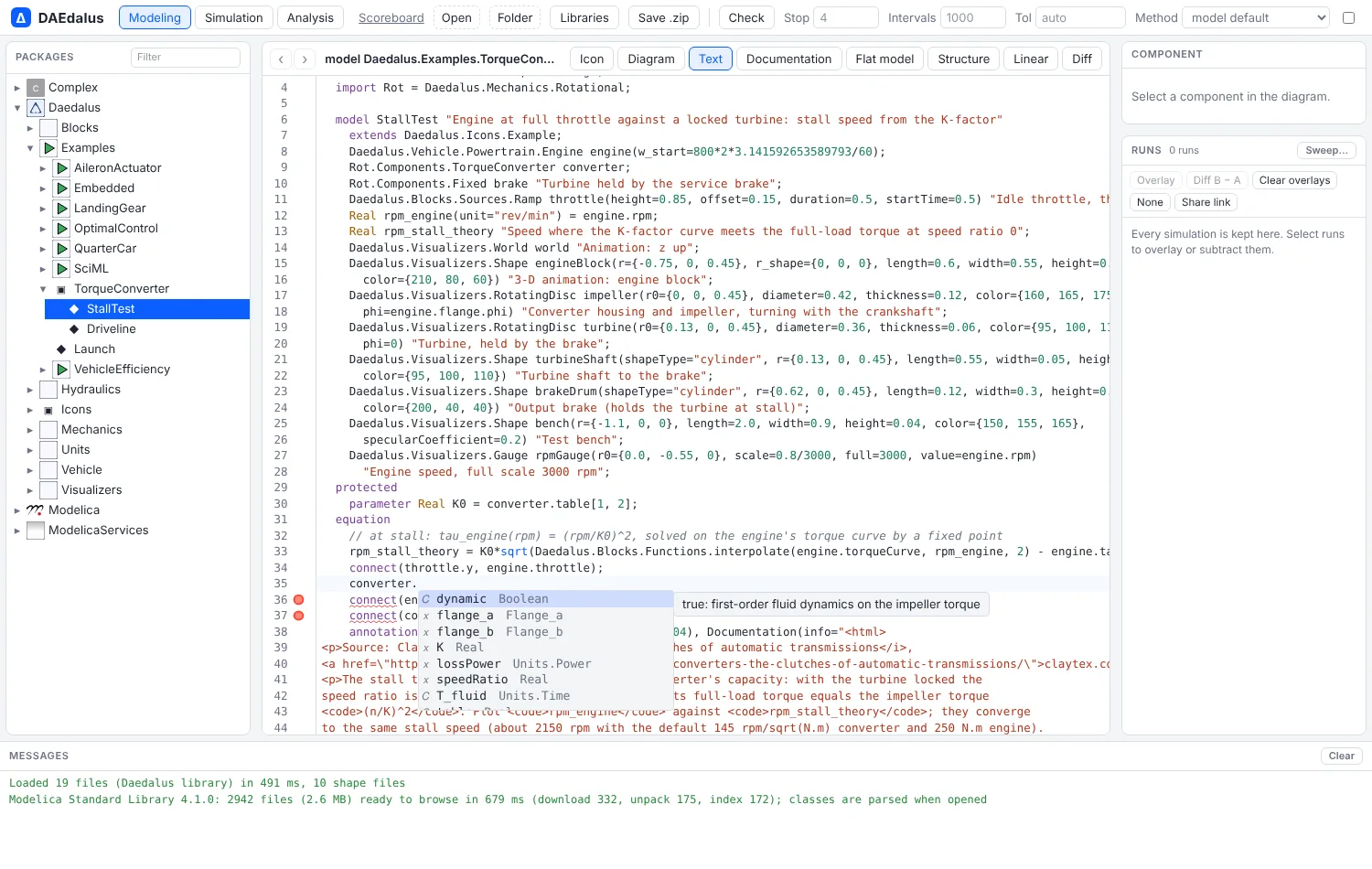
The workbench's Text view is a Modelica editor. It uses the compiler's own rules for finding names,
so "go to definition", autocomplete and rename behave the way the compiler reads the code. The
logic lives in crates/diokle-core/src/ide.rs and runs in the browser worker.
Keys
| Key | Does |
|---|---|
| F12, or Ctrl/Cmd-click | Go to the definition: opens the class that declares the name and selects it |
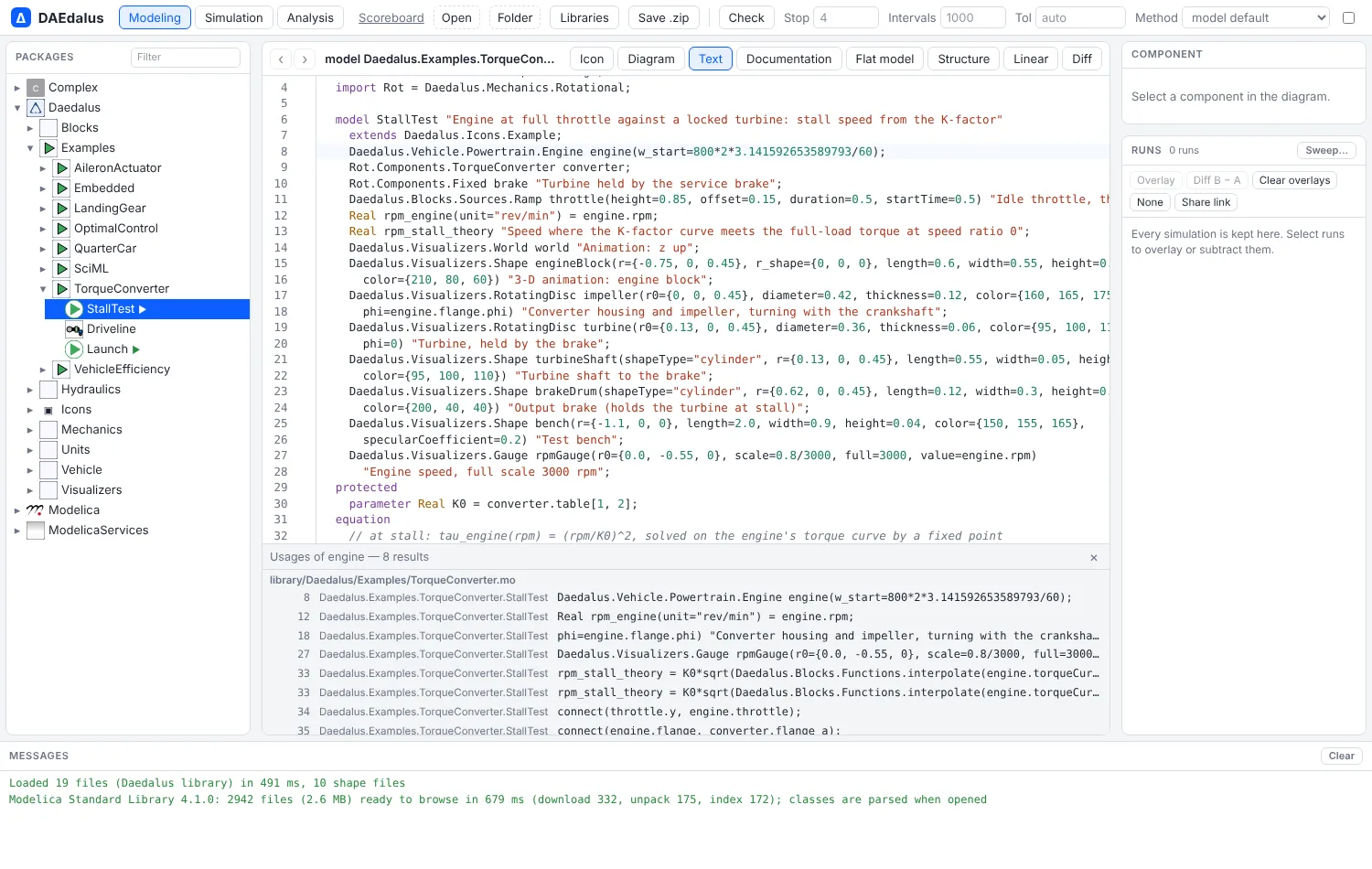
| Shift+F12 | Find usages across the loaded documents, in a panel; click a row to go there |
| F2 | Rename a class, component or loop index everywhere it is named |
| Ctrl+Space, or just type | Complete: classes and components in scope, members after a.b., modifier names inside x(...), keywords |
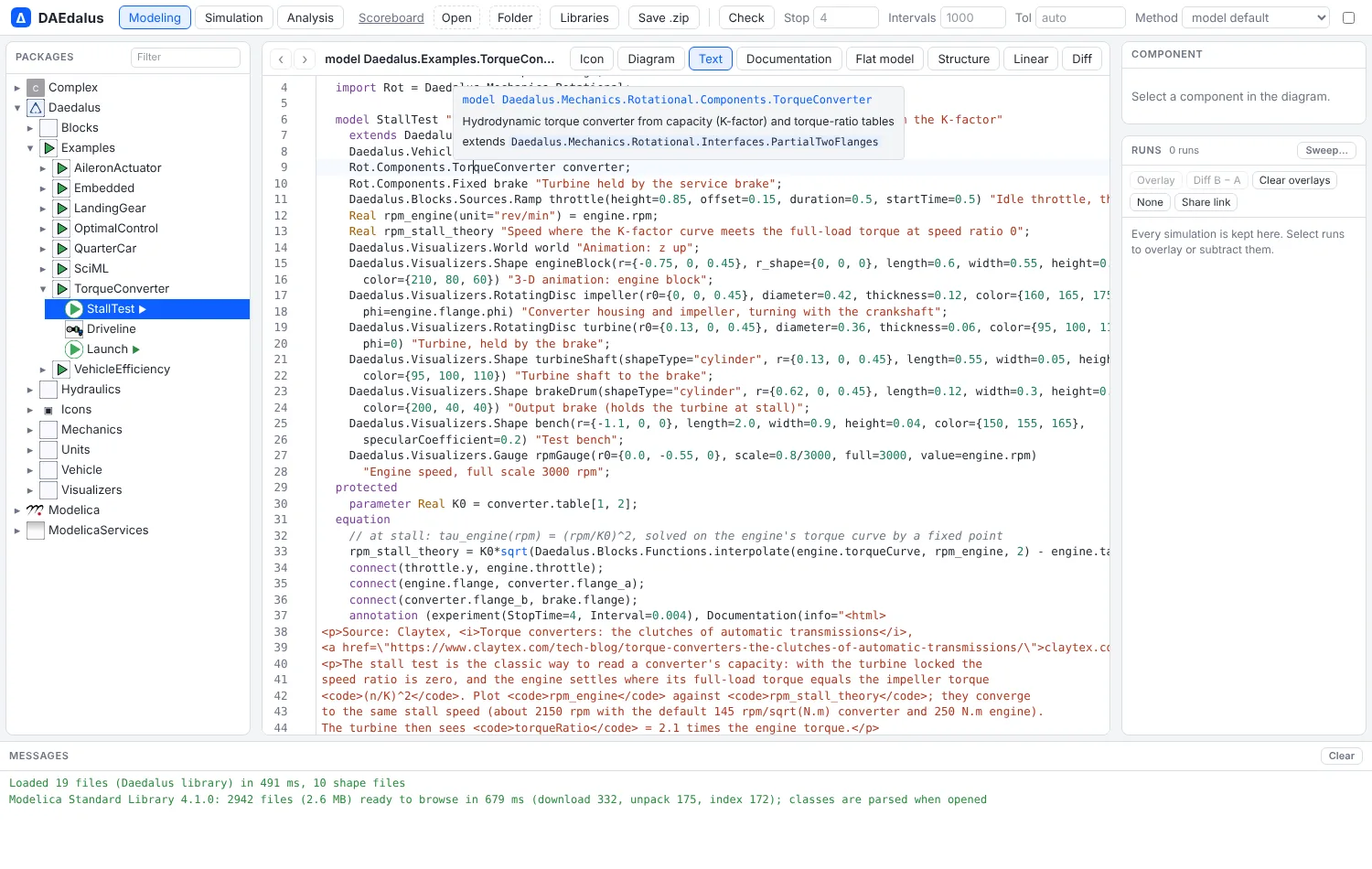
| Hover | Declaration, description, declaring class, type and unit |
| Ctrl+Shift+O | Outline of the document's classes and components |
Syntax errors are underlined as you type. Unknown classes are errors, and unknown names,
members and modifiers are warnings. Pressing Enter, or typing end, else or equation,
indents the Modelica way.
Name lookup
Names are resolved with the Modelica lookup rules:
- enclosing classes;
- imports: qualified, renamed, unqualified and selective;
- inherited elements;
- component types for dotted references in equations (
r1.p.v); - modifier and named-argument names against the type they modify;
- enumeration literals and
forindices.
Go to definition on an outer component also lists the matching inner declarations.
Rename refuses names already taken, keywords, classes stored in their own file, and any
edit to the read-only MSL bundle.
Speed
Only the edited document is parsed again on each keystroke. While it does not parse, the
last version that did stands in for it, so completion keeps working mid-edit. With the
whole MSL parsed (2,554 files), an update plus completion takes about 6 ms natively. Finding
the 38 uses of Modelica.Blocks.Sources.Step takes about 85 ms.
cargo test -p diokle-core --test ide checks that every MSL file and the Diokle
library resolve without a single diagnostic.
For editing in the diagram, see Graphical editing.
VS Code
The diokle lsp command is a Modelica language server for any editor that speaks the protocol.
It runs the same analysis as the workbench: diagnostics, go to definition, find references,
rename, completion, hover, the document outline and formatting. The VS Code extension in
editors/vscode starts it, and each release attaches the .vsix package. Its setup and
development steps are in editors/vscode/README.md.