Libraries, packages and parameter data
A library is a package of ready-made model parts, such as motors, pipes or springs, that your own models can use. Diokle installs open Modelica libraries by name and checks their versions. It packs a model with the files it needs into one zip, compares two versions of a class structurally, and turns parameter tables into Modelica modifiers.
Installing libraries
diokle lib index                                    # the index of open libraries
diokle lib index --update                           # fetch the index published on the repository
diokle lib install Buildings@12.1.0                 # by name and version
diokle lib install https://github.com/owner/MyLib@v1.2.0
diokle lib install ~/Downloads/OpenIPSL-3.0.1.zip   # a downloaded release
diokle lib list
diokle lib resolve model.mo                         # uses(...) -> installed versions, conflicts, what to do
diokle lib convert model.mo --library Modelica      # the conversion script of the version in use
Modelica 4.1.0, 4.0.0 Modelica Standard Library
Buildings 12.1.0, 11.1.0, 10.0.0 Building energy and control systems (LBNL)
ThermoSysPro 4.0 Thermal-hydraulic power plants and energy systems (EDF)
OpenIPSL 3.0.1, 2.0.0 Power system dynamics: phasor-domain models of grids and machines
VehicleInterfaces 2.0.1, 1.2.5 Standard interfaces for vehicle subsystems (Modelica Association)
ExternData 3.0.3 Read data from CSV, INI, JSON, MATLAB, TIR, XML and Excel files
AixLib 2.1.1, 1.3.2 Building performance simulation (RWTH Aachen E.ON ERC)
Modelica_DeviceDrivers 2.1.1 Interfaces to hardware devices and communication protocols
Modelica_LinearSystems2 2.4.0 Linear systems: analysis, controller design, model reduction
PhotoVoltaics 2.0.0 Photovoltaic cells, modules, inverters and plants
...Libraries go to $DIOKLE_LIBRARIES (default ~/.diokle/libraries). Every command
resolves the uses(...) annotations of what it loads against the installed libraries,
picking the exact version, or else the newest of the same major version. It warns about
conflicting requirements.
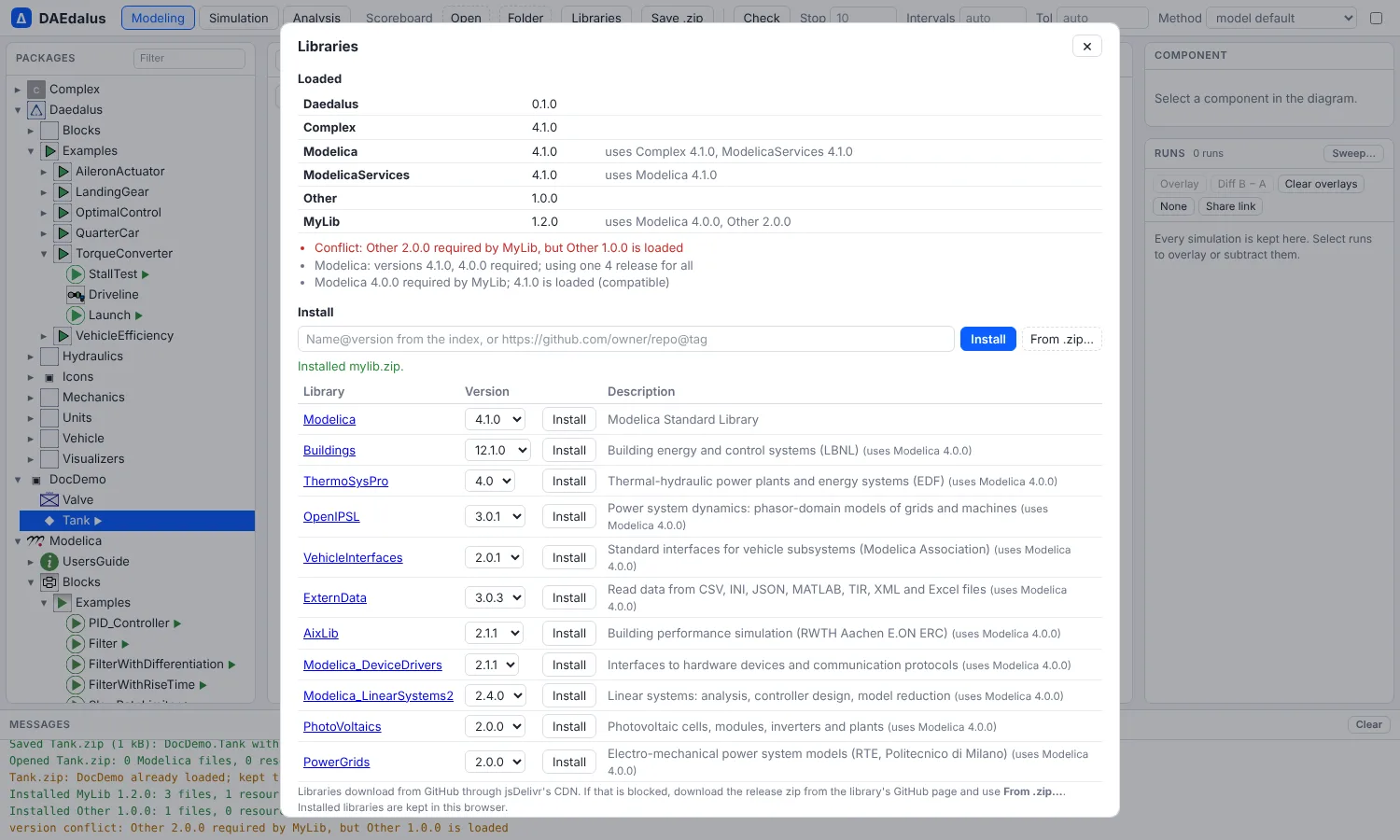
In the workbench, Libraries lists the loaded libraries with their versions, any
uses conflicts and missing libraries. It installs a library from the index, a GitHub
URL or a zip you pick, and keeps installed libraries in the browser for the next visit.
The index is the one bundled with Diokle, plus the versions published on the repository's
main branch. The workbench fetches that file when the page loads, and diokle lib index --update saves it for the CLI. A library version that is newer than the release can
therefore be installed without waiting for one.
Versions and upgrades
Several versions of a library can be installed side by side. Only one version of a library is loaded at a time, so the workbench loads the one marked In use on each visit. Choose Use on another version to switch; the page then loads it on the next visit.
When a model's uses(...) names a version that the loaded library does not match, the
report gives what to do: the index version to install (with an Install button in the
workbench), and, when the loaded library states a conversion for the version the model
was written for, which case applies:
noneFromVersion: models of that version need no change, only theirusesversion.from(version, script): a conversion script runs on the models.diokle lib convertlists it;--runruns it. The script runs with the library loaded and the models' folder as the current directory. A command the script uses that Diokle's script interpreter does not support stops the run with a message, and the files stay as they were. The conversion runs in the CLI only, because the workbench has no script interpreter.
Old uses Modelica 3.2.3, but Modelica 4.1.0 is loaded
  to fix: Modelica 4.1.0 converts models written for 3.2.3 with the script
.../Modelica 4.1.0/Scripts/ConvertFromModelica3_2_3.mos; the command line runs it with diokle lib convertPackages
diokle package library/Diokle -m Diokle.Examples.TorqueConverter.Launch -o Launch.zip
diokle simulate Launch.zip -o launch.mat
A package is a zip of the model with the files and modelica:// resources it needs. The
MSL is named in its manifest, not copied. Any command opens a .zip source again, and so
does Open in the workbench; Save .zip writes the open model as a package.
Comparing versions
diokle diff compares a class structurally: components, parameters, modifiers,
placements, connections and equations. --text adds the unified text diff and
--format json gives it as data.
diokle diff old/Demo.mo new/Demo.mo -m Demo.Plantclass Demo.Plant
components:
~ r : Modelica.Electrical.Analog.Basic.Resistor
modifier R: 100 -> 220
~ c : Modelica.Electrical.Analog.Basic.Capacitor
placement changed (moved in the diagram)
+ leak : Modelica.Electrical.Analog.Basic.Resistor
connections:
+ connect(leak.p, c.p)
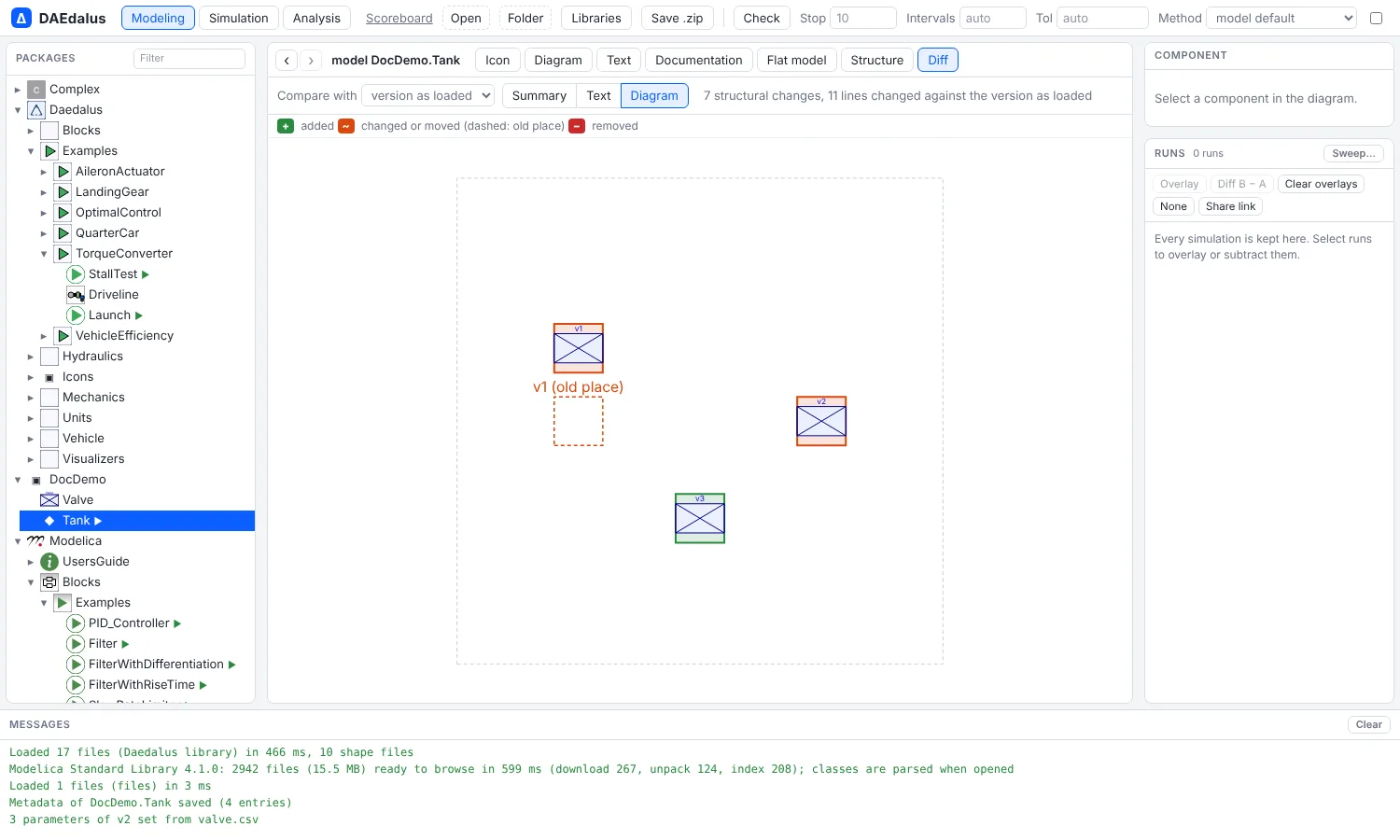
+ connect(leak.n, ground.p)In the workbench, Diff compares the open class with the version as loaded, or with a file you pick. It shows a summary, the text diff, and the diagram. Added, changed and removed components and connections are highlighted, and moved ones show their old place dashed.
Parameter data
params-from reads parameter values from a CSV file (name,value[,unit]) or an SSP
.ssv file. It checks them against the component's type, converts them to its units
(mm to m, bar to Pa, rpm to rad/s and so on) and prints a modifier:
diokle params-from library/Diokle -m Diokle.Examples.TorqueConverter.StallTest -c engine engine.csvnote: w_start = 1000 rpm converted to 104.71975511966 rad/s
engine(J = 0.25, tau_drag = 25, w_start = 104.71975511966)--record Name prints a record instead, and --apply writes the modifier into the
source. In the workbench, Import parameters… in the component inspector does the same
and applies the values to the declaration, with undo.
Documentation
The Documentation view renders a class's info and revisions HTML, sanitized,
with modelica:// class links that navigate and images from library resources.
Documentation that does not start with a tag is treated as Markdown, with $...$ and
$$...$$ LaTeX. The __Daedalus_metadata(key = "value", ...) annotation is shown and
edited there.